A cinematic Iris shader pack for Minecraft, with a black hole in the End.
Soft PCSS shadows, deferred water with reflections and caustics, volumetric clouds and light, a real phased moon, and an End that looks like the last place in the universe. Plain GLSL 1.20, no build step: drop the folder in and play.
Screenshots
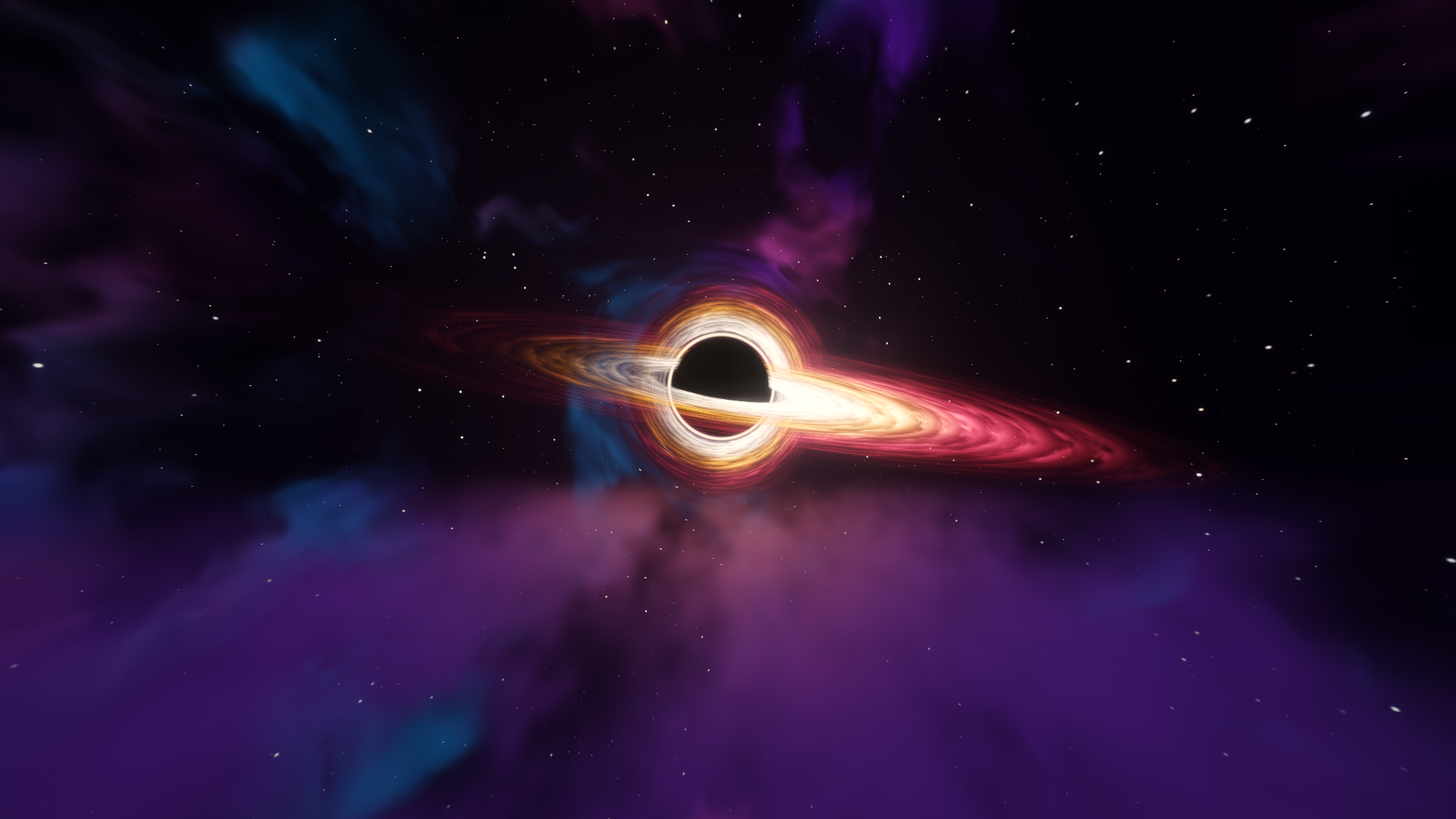
The End
Rain
Water
Sunset
Night and moon
Nether
Glow
What is included
Glow
- Every light source gets a soft colored halo from its own emission buffer, tight neon edge plus wide bloom
- Redstone glows: dust (brighter with more power), blocks, torches, lit ore, powered repeaters, comparators and observers
- Furnace and candle flames, crystals, sculk, glow berries, Nether portal, copper bulbs, froglights
- Glowing mobs (blazes, glow squids, allays, End crystals), spider and enderman eyes, beacon beams, flame particles
- Held and dropped light items glow; holding a torch lights up the area around you
- Gems in ores sparkle a little (can be turned off)
Overworld
- Deferred lighting with PCSS soft shadows, warm torch light and glowing emissive blocks
- Waving plants and leaves
- Volumetric clouds that cast shadows on the ground
- Volumetric light (god rays), ground fog in valleys, aurora on clear nights
- Round moon with real phases, maria, craters and earthshine
- Softer, desaturated rain instead of the blue streaks
- Rain soaks the world: ground darkens, puddles form in the dips and reflect the sky, drops ring on water and puddles
Water
- Animated waves, refraction, screen-space reflections with sky fallback
- Shoreline foam and caustics
- Underwater: Snell’s window, light shafts, depth-based absorption
Nether
- Full support with its own fog and lighting
End
- A gravitationally lensed black hole: photon ring, tilted accretion disk with Kepler rotation and Doppler beaming, and the far side of the disk bent over the top of the horizon
- Volumetric smoke drifting between the islands
- Two styles, switchable in settings:
- Empty (default): almost colorless, infinitely deep, quiet. Horror at the end of everything.
- Colored: violet nebulae and a dense starfield.
Post
- Bloom, auto exposure, lens flare, ACES tonemap, color grading, vignette
Requirements
- Minecraft Java Edition with Iris (tested on Iris 1.11.6 + Sodium 0.9.3, Minecraft 26.3)
- A GPU that handles OpenGL 3.x shader packs comfortably. Developed on an RTX 3060.
Installation
- Install Iris (with Sodium).
- Download
RustingShader-vX.Y.zipfrom the Releases page and put it, still zipped, into.minecraft/shaderpacks/. (The green “Code → Download ZIP” button does not work directly: it wraps everything in an extra folder, so Iris cannot findshaders/.) - In game: Options → Video Settings → Shader Packs → RustingShader.
Press R in game (Iris reload key) after editing a shader.
Settings
Everything is in the in-game shader menu, grouped into screens: shadows,
lighting, water, clouds, sky, post-processing, and End. Defaults live in
shaders/lib/settings.glsl.
Most useful knobs:
| Setting | What it does |
|---|---|
END_STYLE | Empty (horror, colorless) or Colored (nebulae) End |
BH_SIZE, BH_SPIN, BH_BRIGHTNESS | Black hole size, disk rotation speed, disk brightness |
END_SMOKE_HEIGHT, END_SMOKE_DENSITY | Where and how thick the End smoke is |
GLOW_STRENGTH, EMISSIVE_STRENGTH | Halo size around lights, brightness of glowing pixels |
SHADOW_SOFTNESS | Contact-hardening shadow blur |
CLOUD_COVERAGE, CLOUD_STEPS | Cloud amount and quality (steps cost the most) |
VL_STEPS | God ray quality |
MOON_SIZE, MOON_BRIGHTNESS | Custom moon |
RAIN_OPACITY | How visible rain is |
PUDDLES, PUDDLE_AMOUNT | Reflective rain puddles and how much ground they cover |
On a weaker GPU, lower CLOUD_STEPS, VL_STEPS and shadowMapResolution first.
Development
shaders/
  lib/         shared code: settings, noise, sky, shadows, clouds, End
  program/     the real pass code
  *.fsh/*.vsh  thin wrappers that #define flags and #include a program
  world-1/     Nether wrappers (NO_SKY)
  world1/      End wrappers (NO_SKY + END)
tools/
  check.py     compiles every program in every dimension with glslangValidator
  preview.py   renders the End sky to a PNG on the GPU (moderngl)
glowtest.py renders the glow halo on a test image, same code as in gamepython3 tools/check.py # prints "all OK" or the failing program
python3 tools/preview.py out.png # needs moderngl, numpy, pillowLicense
RustingShader is released under the RustingShader License 1.0. You may use, modify and redistribute it, including in modpacks and commercial content, as long as you keep the license and credit the original author.